Give players a clear path from finding a court to checking in. Fluid brings reservations, open play, memberships and payments into the same daily schedule for your club or facility.
Use these real workflows to evaluate how Fluid fits your booking policies, member benefits and front-desk routine.
Set the rules before bookings open
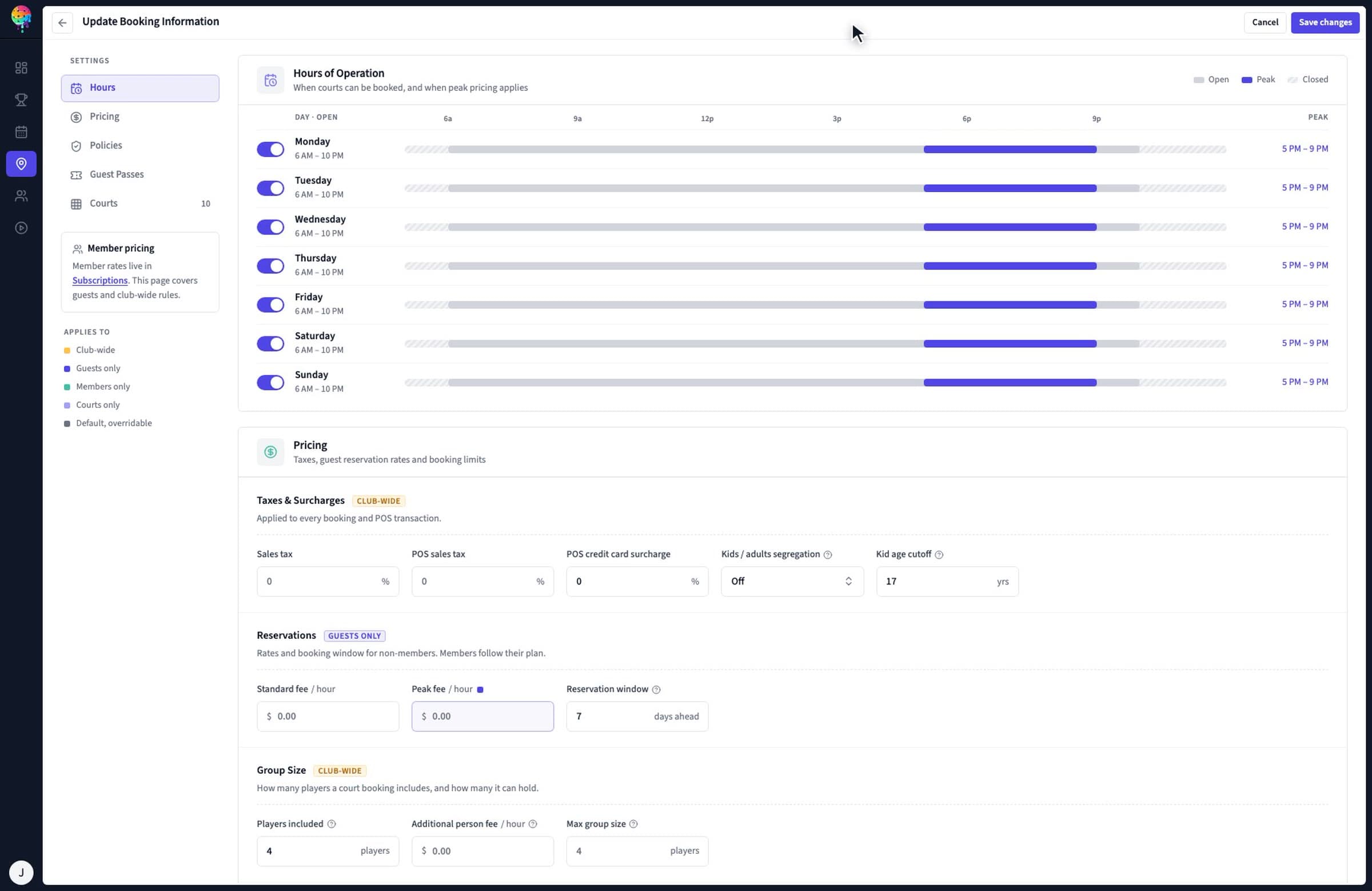
Define court rates, scheduled specials and late cancellation policies. Membership plans control how far ahead players can book, peak and off-peak access, and how many reservations they can hold.
Players reserve a court or join a session from your club's website or member experience. Live availability and membership pricing guide the booking. A full session or court time can have a waitlist for the next opening.
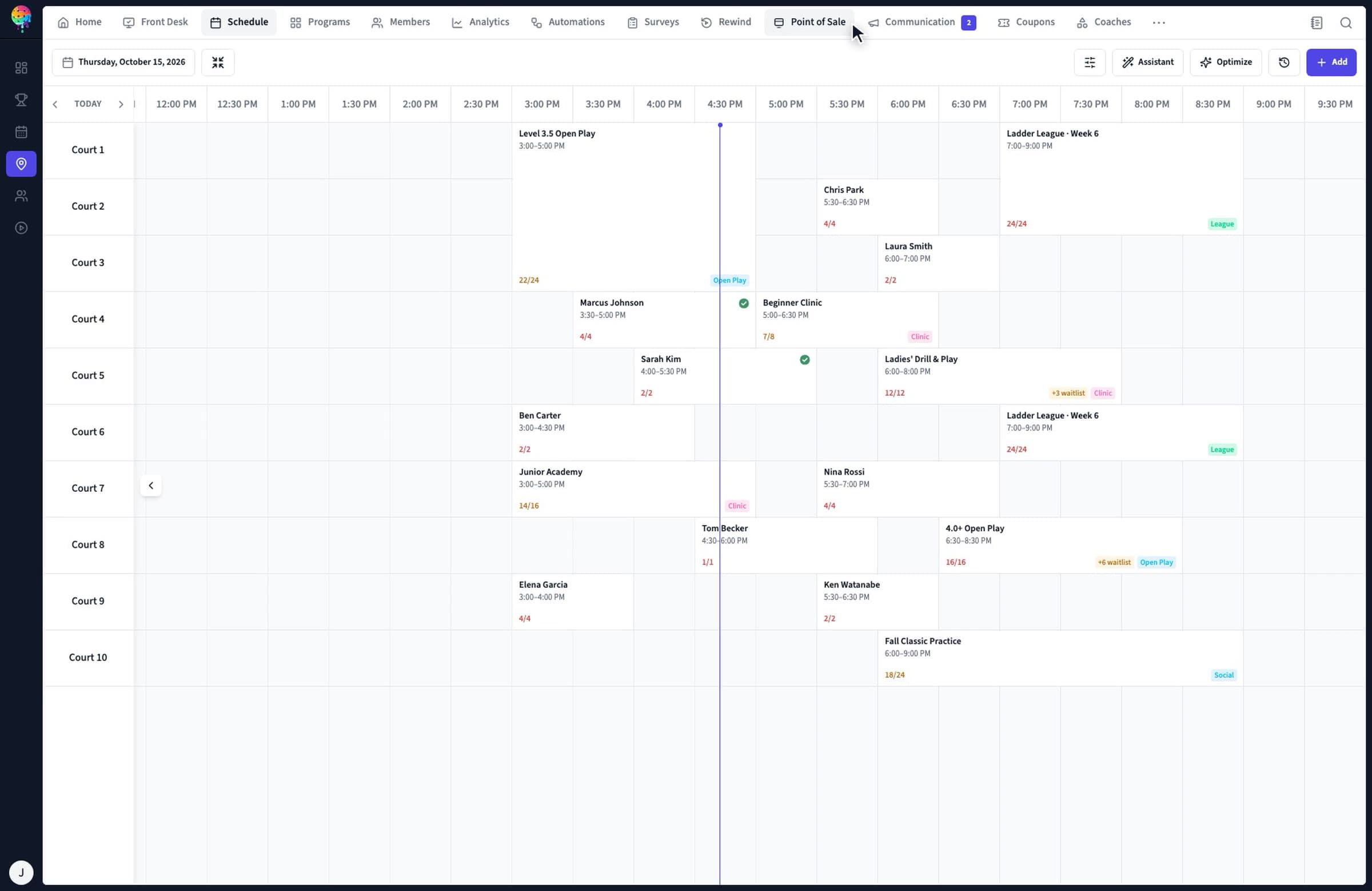
Staff see court reservations, open play, clinics and lessons together. Filter by court or booking type, inspect sign-up counts, book on behalf of a member, or move a reservation to another time or court.
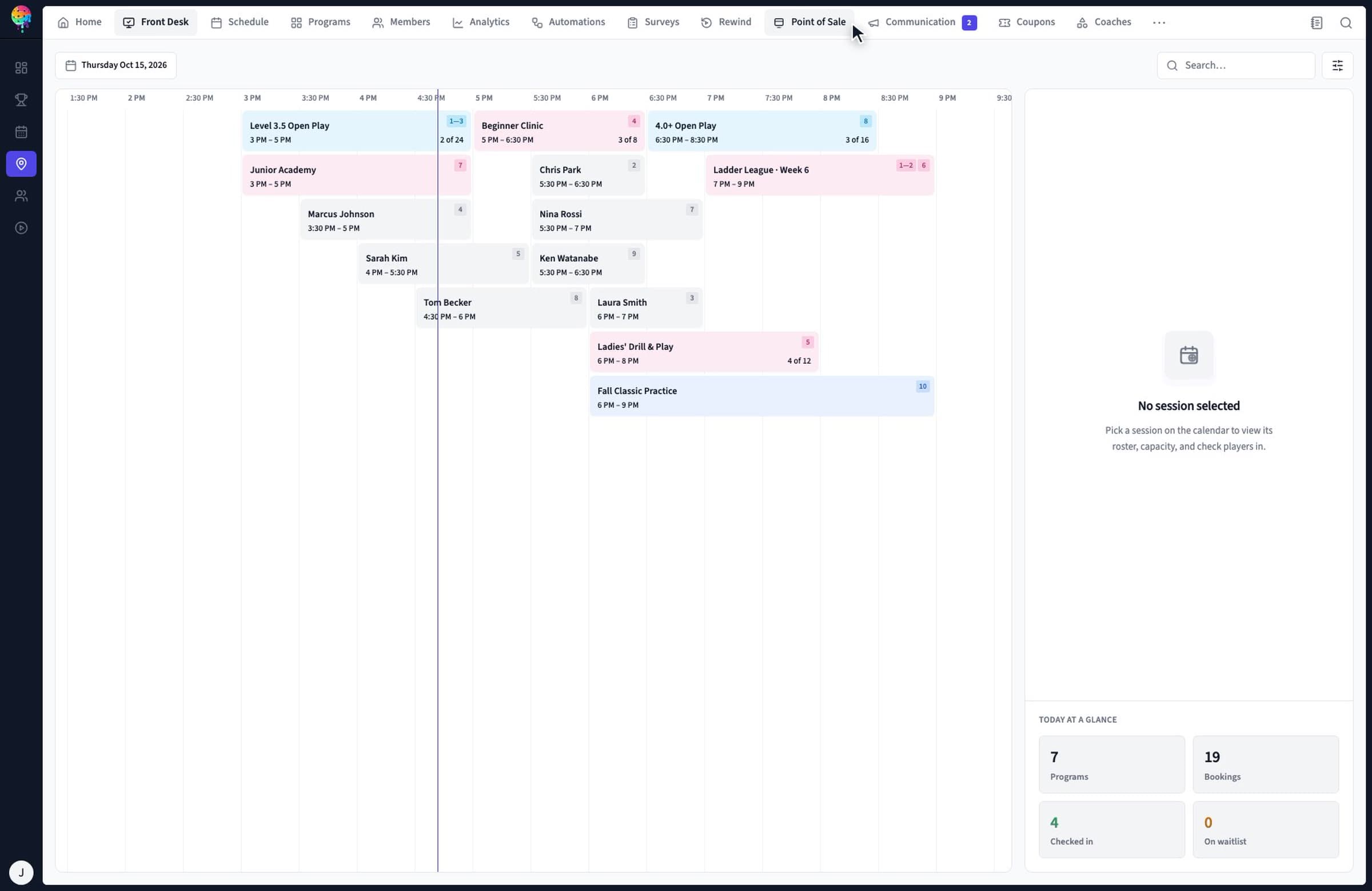
Front Desk shows today's bookings and session rosters. Staff check players in with one tap, search for a member, and see check-ins update when players use the kiosk or their phone.
Court booking, open play and in-club games are included in every plan. Choose the additional tools your facility needs. See full pricing and plan comparison.
Published availability for club operations
Your club needs
Published plan availability
Court reservations, member check-in, memberships, Stripe payments and web-based member experience
Starter, Pro and Scale
Open play, session capacity and waitlists
Starter, Pro and Scale
Simple in-club tournaments and scramble play
Starter, Pro and Scale
Recurring leagues, pro shop POS, workflow automation and advanced reporting
What is the difference between a court reservation and open play?
A court reservation books a court for a specific time. Open play books a place in a shared session with a roster and a capacity limit. Fluid puts both on the club's schedule so staff can see court use and who is coming.
Can members book online at their membership rate?
Yes. Fluid shows live court availability and applies the member's pricing when they book. Membership plans can define advance booking windows, peak and off-peak access, daily or weekly court hours, and limits on simultaneous bookings.
Does Fluid support open-play capacity limits and waitlists?
Yes. Starter, Pro and Scale all include open play, session capacity controls and waitlists for full sessions and court times. When a spot opens, Fluid offers it to the next person in line. You can watch these workflows in the virtual demo.
Can our club run tournaments and scramble play?
Yes. Every club plan includes simple in-club tournaments and scramble play. Recurring leagues are included with Pro and Scale. Multi-division tournaments require the separate Fluid tournament software.
Do players need to install an app to book?
No. The web-based member experience works on phones, tablets and computers and is included with Starter, Pro and Scale. A branded native iOS and Android app is a Pro add-on and is included with Scale.
Which Fluid plan includes court booking?
Starter, Pro and Scale include court reservations, open play, waitlists, simple in-club tournaments, scramble play, member check-in, membership management, Stripe payments and the web-based member experience. Pro adds recurring leagues, pro shop POS, workflow automation and advanced reporting. Scale adds multi-location support.
Bring your booking rules. See how Fluid fits.
Walk through your court mix, peak hours, member benefits and open-play schedule with the team. Already using another system? Compare Fluid with CourtReserve, PodPlay or Playbypoint and use the migration checklists to prepare.